1
Show us what you are considering
Photograph the product, package, nutrition panel, or ingredients list—whatever you can see right now.
Choose food with confidence
Use the Yum Check food ingredient scanner to photograph a product or label, see which ingredients look safe or deserve caution, and understand why before it reaches your cart.
Available for iPhone
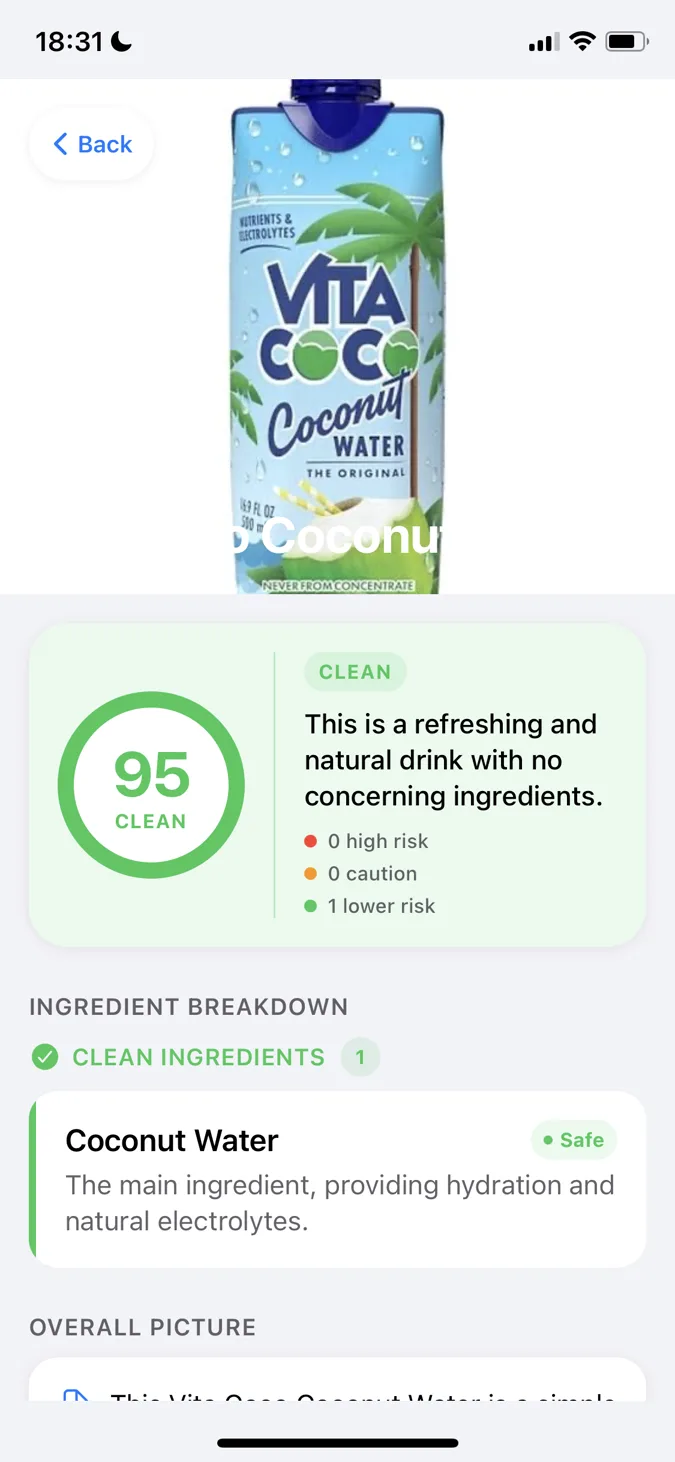
What needs attention
Any clear photo
Check what is in front of you
Decide at a glance
See the answer without decoding the label
50 languages
Shop confidently wherever you are
Your private shortlist
Remember products worth buying again
From question to confident choice
Stop squinting at tiny labels or guessing what unfamiliar ingredients mean. Yum Check turns one photo into guidance you can use while the product is still in your hand.
Photograph the product, package, nutrition panel, or ingredients list—whatever you can see right now.
Yum Check sorts the ingredients by concern level and explains what each one means in everyday language.
Use the score, verdict, and ingredient breakdown to decide whether the product meets your standards.
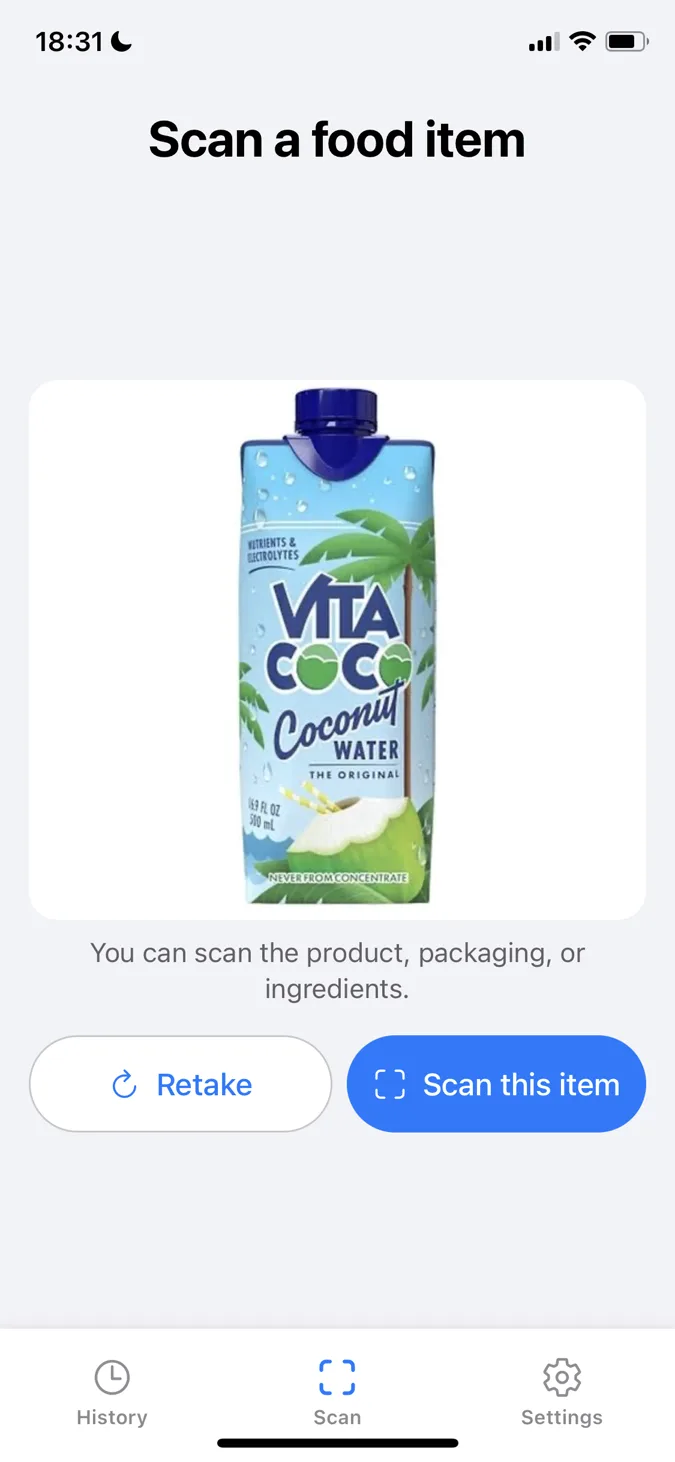
Use the view you have
The product, package, or label
Check what is actually in your hand
A missing, damaged, or unrecognized barcode should not leave you guessing. Yum Check works from the product photo itself, so you can investigate the food in front of you instead of hoping it already exists in a database.
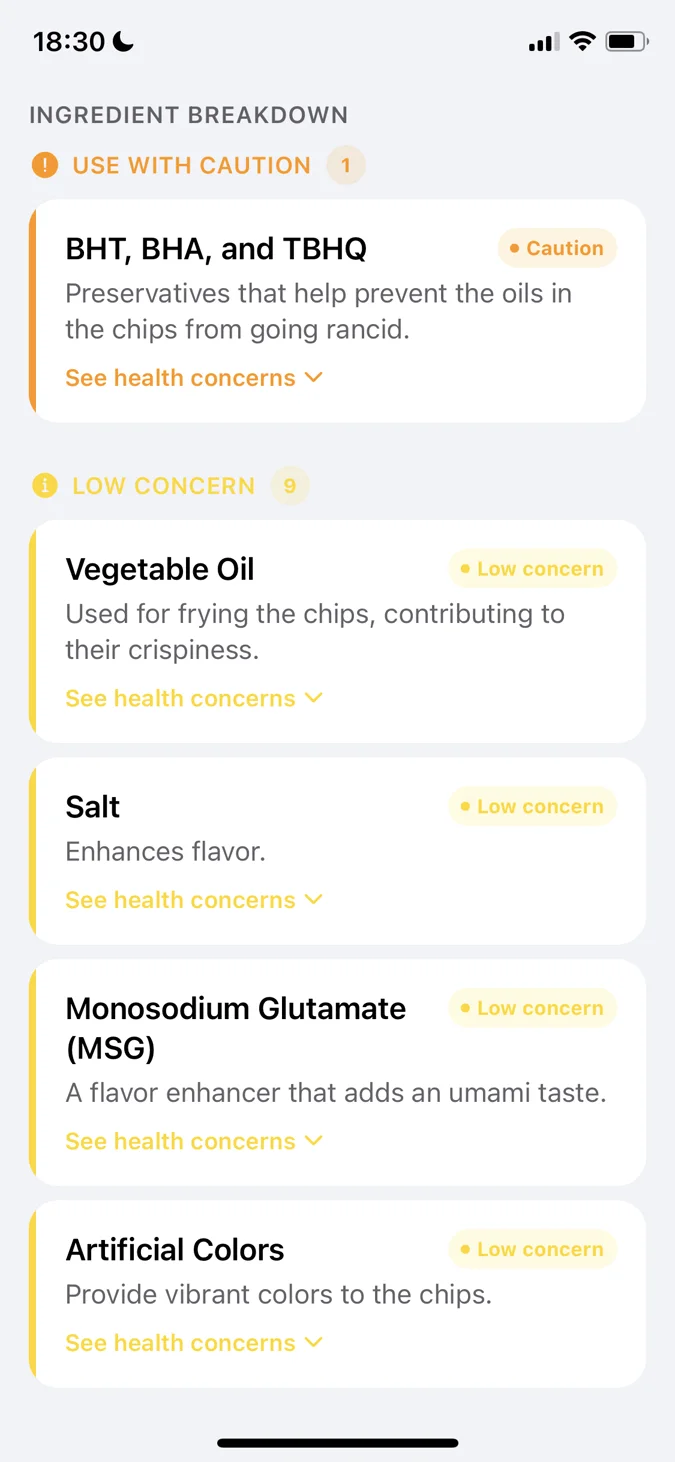
Know what to keep and what to question
See the quick answer first, then look deeper only when you need to. Yum Check explains what each ingredient does and why it may deserve caution, helping you decide whether it fits the way you want to eat.
See what needs attention at a glance
Use Yum Check to make a more informed food choice. Its ingredient guidance is informational and does not replace advice from a qualified healthcare professional.
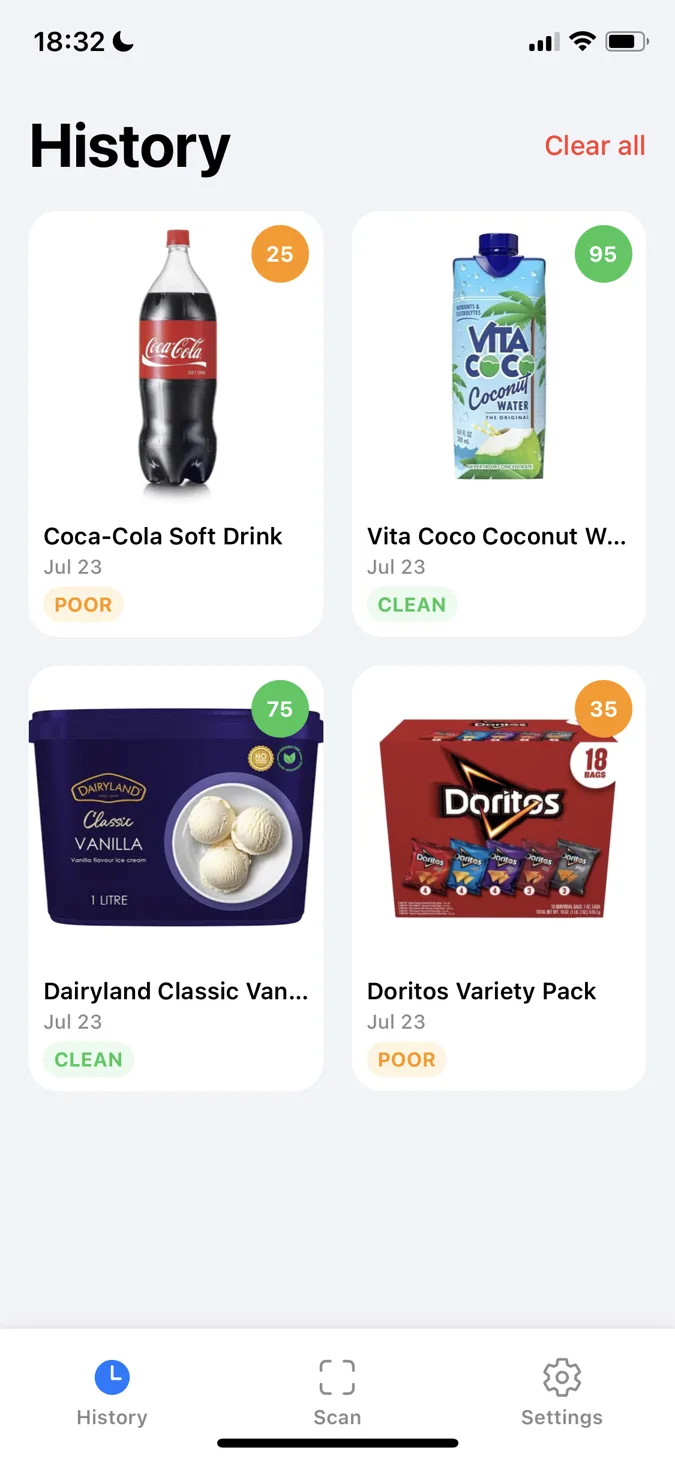
Make every scan useful next time
Do not repeat the same research every grocery trip. Your history keeps each product, score, verdict, and scan date together so you can check a past decision before it goes back into your cart.
100
Decisions worth remembering
Keep up to 100 recent checks within easy reach.
A private list that belongs to you
Your saved product history remains on your iPhone—not in a Yum Check account.
Your data is not the product
Yum Check collects only the information needed to analyze your scan, keep the app working, and improve reliability. Your personal information is not sold to advertisers or data brokers, and it is never used for targeted advertising.
Your food choices are not for sale
We do not sell, rent, or trade your personal information—or turn your scans into an advertising profile.
Less personal data by design
You do not need an account, and anonymous app analytics are not intentionally connected to your name, email, or contacts.
Your full scan history belongs to you
It stays on your iPhone until you decide otherwise. Delete the entire history at any time, without requesting permission or waiting for us to do it.
To give you an analysis, scan images are securely sent to the service providers described in our privacy policy. Yum Check does not retain them as a personal profile or scan database.
Choose with the full picture
Yes—photograph a packaged food item, the front or back of its packaging, a nutrition panel, or an ingredients list. A clear ingredients-list photo gives you the most exact label analysis, but you can still get useful guidance from a recognizable product photo.
You can still check the product. Yum Check analyzes the photo itself, so you can use your camera in the store or choose an existing picture from your library without relying on a barcode database.
The 0–100 score gives you a quick overall answer, with higher scores representing a cleaner result. Green, yellow, orange, and red labels separate safe, low-concern, caution, and high-risk signals, while the ingredient cards explain the reason behind each flag.
You do. Your saved product history stays locally on your iPhone rather than in a Yum Check account. You can delete the entire history at any time from Settings, without restrictions or a deletion request.
Yum Check helps you understand general ingredient concerns and make a more informed shopping decision. It cannot account for every medical condition or personal reaction, so it does not replace allergy guidance or advice from a qualified healthcare professional.
Want a practical walkthrough? Learn how to read a food ingredient list.
Check your next food product, understand every ingredient that deserves attention, and make a choice you can feel more confident about.